The list and search
Use the Ephemeris list to read each item's status and documents, and search to find drugs, cases, documents and entities.
The list on the left of the Ephemeris holds everything on the map, as text. It is grouped the same way as the map, and it is the place to read an item's documents and status in detail.
Show or hide the list#
Select the list button (three lines, top left) to hide the list and give the map the full width. Select it again to bring the list back. On phones the list starts hidden and opens as a drawer over the map.
Groups#
Each group matches a region of the map. Its heading shows the region, a count and a tally of states, for example 1 graph behind · 5 queued · 22 listed only. Select a heading to collapse or expand the group. Large groups (more than 12 rows) start collapsed when there are several.
Rows#
Each row shows a colour swatch (hollow when the item is queued or listed only), the item's name, a status chip on the right, and a subline with the generic name, application number and sponsor.
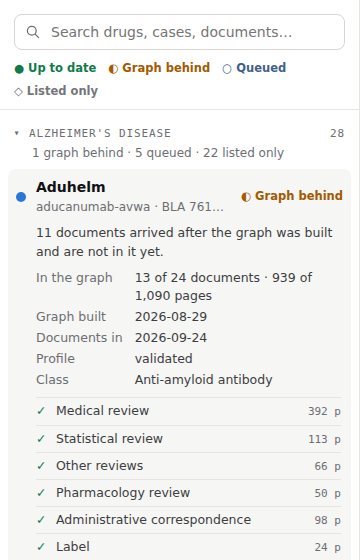
Select a row to open it. The map flies to that item, and the row shows:
- An explanation of its status, for example “11 documents arrived after the graph was built and are not in it yet.”
- Facts:
- In the graph: documents and pages read, out of the total.
- Graph built: when the item's graph was built.
- Documents in: when the latest documents arrived.
- Profile: validated, draft, none or drawn from its letters.
- Class (or Therapeutic area) and, on the SEC map, Where it stands.
- For queued items, Projected: roughly how many entities the item will add when built.
- Its documents. A ✓ means the document is in the graph; ○ means it is not yet. Each shows its page count.
- Show on map, which moves the map to the item again.
On a desktop, hovering a row dims every other item on the map so you can see where it is.
Listed-only rows#
A listed drug's row explains that it is “Listed from openFDA and Drugs@FDA” and that its FDA documents are not fetched or graphed. It shows the sponsor, class, first approval, Drugs@FDA status and date checked, with a Drugs@FDA overview ↗ link. Selecting it selects the drug's dot on the map.
Cases in the record#
On FDA maps, the last group is Cases in the record: “Decisions read from the documents, with their graph coverage.” Each case row shows its date and how many of its documents are in the graph. Opened, it shows the action date, pathway, sponsor, how many agency positions are recorded, and a link to the case on alzheimers.ephemerisx.com.
Search#
Type in the Search drugs, cases, documents… box at the top of the list.
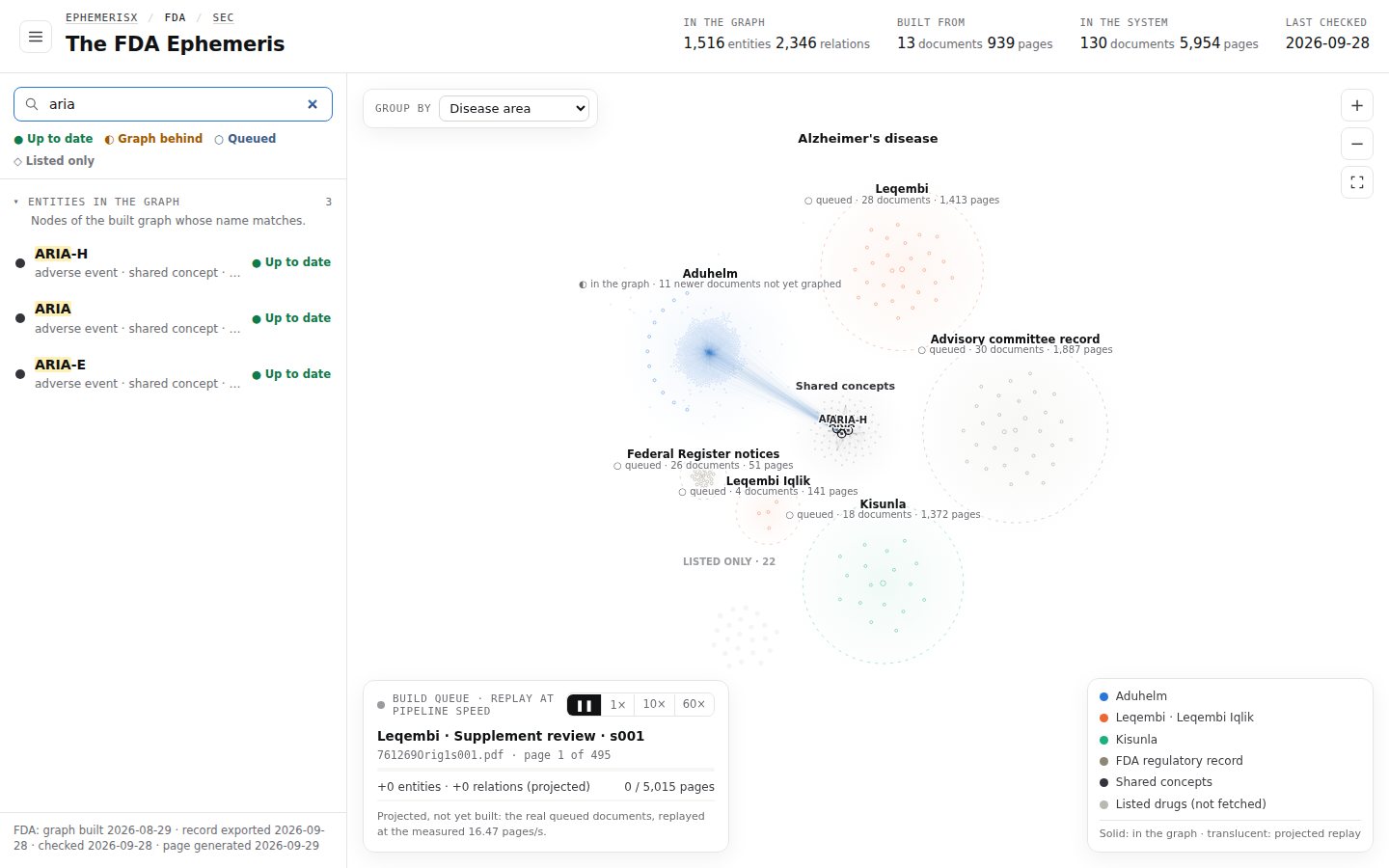
- The list filters to rows whose name, generic name, application number, sponsor, group values or document titles match. Matches are highlighted and every group opens.
- From two characters, matching items get a dark ring on the map and the rest fade.
- From two characters, a group called Entities in the graph lists up to 25 entities whose name matches, with their type, drug and number of mentions. Select one to select it on the map.
- If nothing matches, the list says “Nothing in the system matches …”.
To clear the search, select the × in the box or delete the text.
The footer#
The bottom of the list shows the data dates for each corpus, for example “FDA: graph built 2026-08-29 · record exported 2026-09-28 · checked 2026-09-28 · page generated 2026-09-29”.