Tutorial: Trace an FDA position across decisions
Follow the FDA's position on ARIA from its first appearance through every later anti-amyloid decision, and open each quote at its source.
In this tutorial you follow one regulatory question, how the FDA weighed and labelled ARIA (amyloid-related imaging abnormalities), across every anti-amyloid decision on alzheimers.ephemerisx.com. It takes about ten minutes.
What you will learn#
- How to read the threads grid.
- How to follow one thread's chain of positions.
- How to open a quote at its page on fda.gov.
Step 1: Open the threads page#
- Go to alzheimers.ephemerisx.com/threads/, or select Questions in the site header.
- Read the legend at the top: Origin Consistent Conditional Departs Not addressed.
Step 2: Scan the ARIA row#
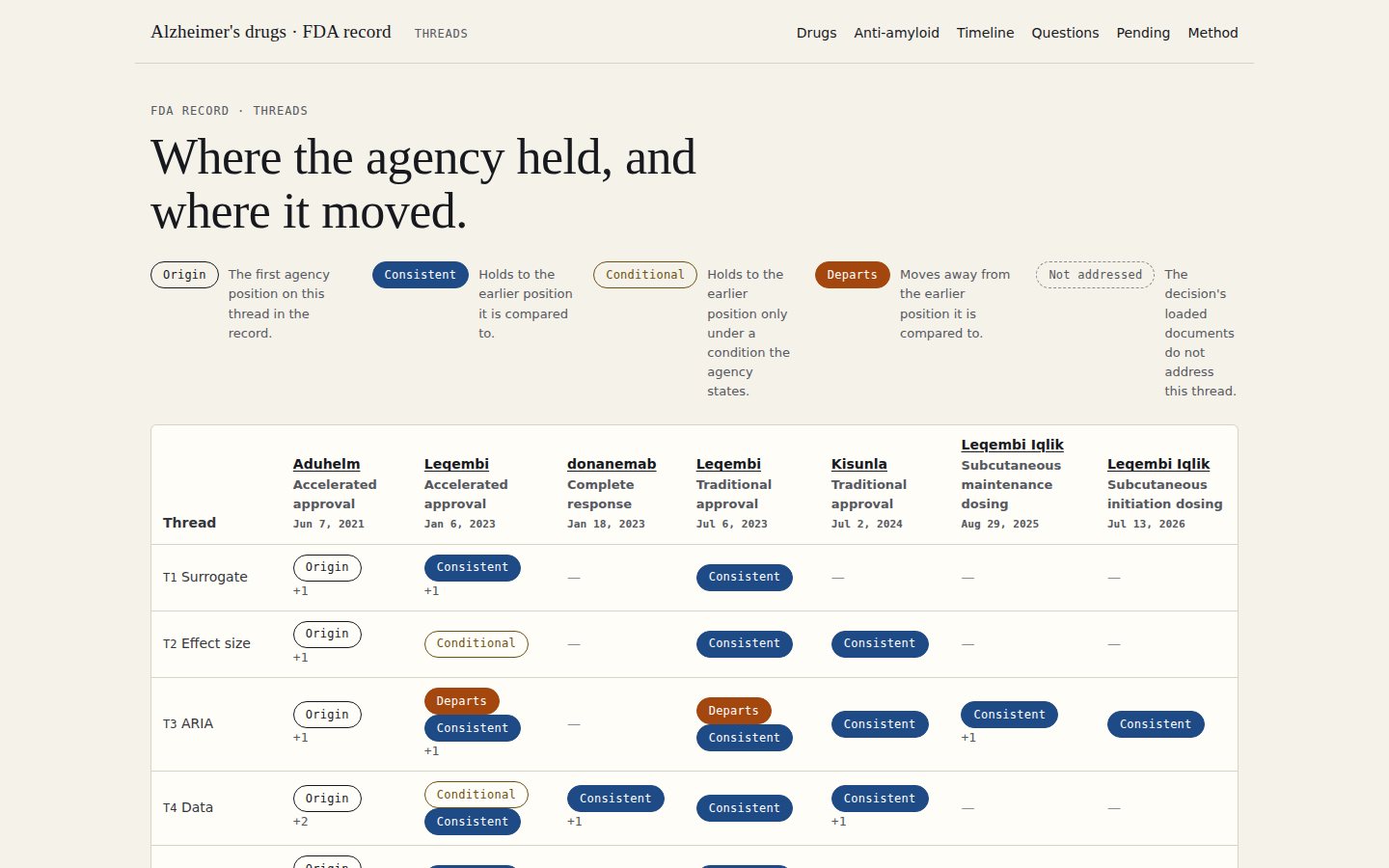
- Find T3 ARIA in the grid.
- Read it left to right. The first decision holds the Origin. Later cells show whether each decision kept to, or moved from, an earlier position.
- Note any Departs pill: that is where the agency changed course.
Step 3: Follow the chain#
- Select T3 ARIA in the thread list. The page now shows only this thread, and the address ends in
#T3. - Read each step. It gives the position ID, the decision, a status pill, the agency's words and a line saying which earlier position it is compared to.
- Compare a Departs step with the position it names. The two quotes side by side show what changed.
Step 4: Check a quote at its source#
- Under any quote, find its citation, for example Approval package (reviews) · PDF p. 63 · action of Jul 6, 2023 · fda.gov ↗.
- Select fda.gov ↗. The FDA document opens.
- Go to the PDF page given in the citation (your viewer's page box, not the number printed on the page) and find the sentence.
Step 5: See the decision in context#
- Select the decision's name on any step to open its entry.
- Under What the agency said, the same position appears alongside the agency's positions on the other four threads.
Next steps#
- Repeat with T1 Surrogate to see how the accelerated-approval basis held up.
- On a desktop, use the command center's positions grid for the same view next to the committee votes.